How it works

Four steps. One afternoon.

Every DatMig migration runs through the same guided wizard: the same four steps whether you're moving a single project or a whole workspace. Here's what happens at each one, and how your data gets migrated.

i.

Connect

Sign in to the platform you're moving from and the one you're moving to. DatMig authenticates each side through either OAuth 2.0 or an API access token.

  • Connected accounts are remembered in your workspace, so no need to connect again for future migration.
  • Tokens and keys are stored encrypted; expired OAuth tokens refresh automatically.
  • You can disconnect an account at any time.
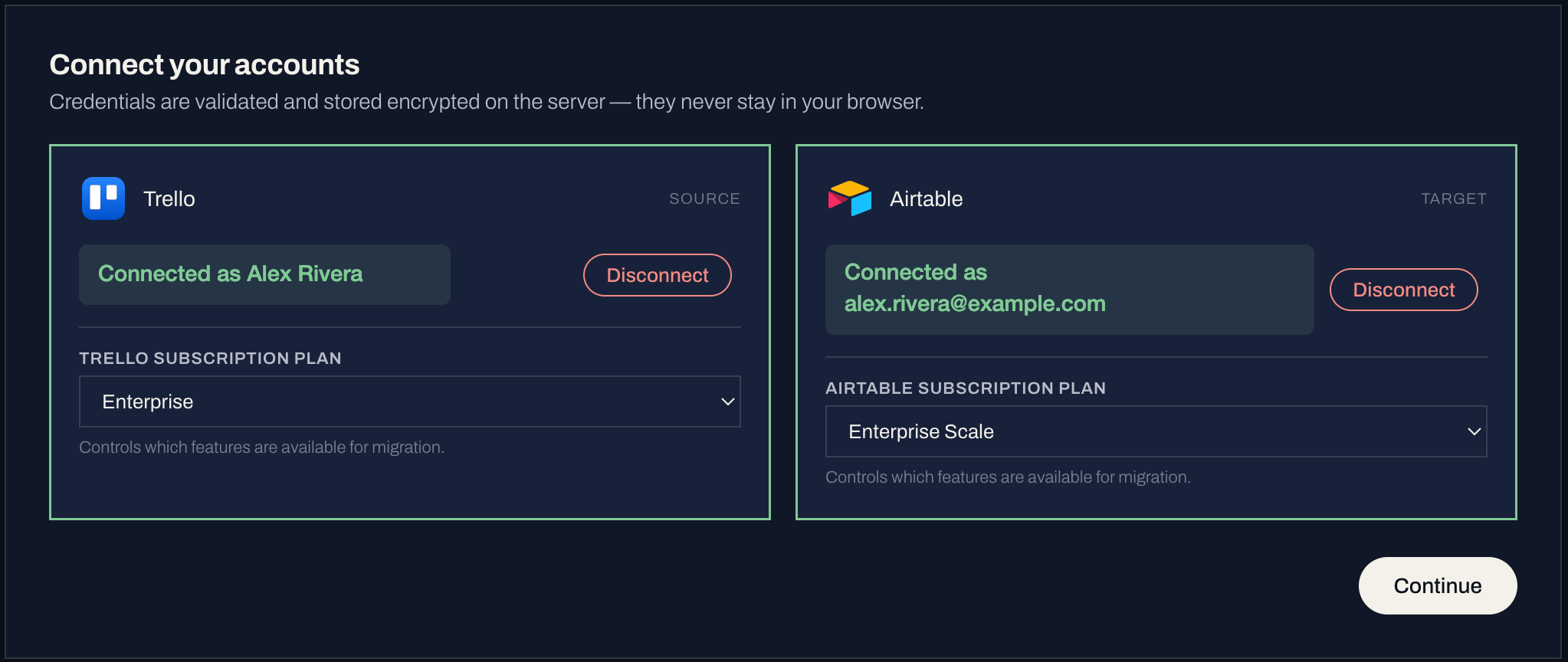
The Connect step in the DatMig migration wizard
ii.

Select

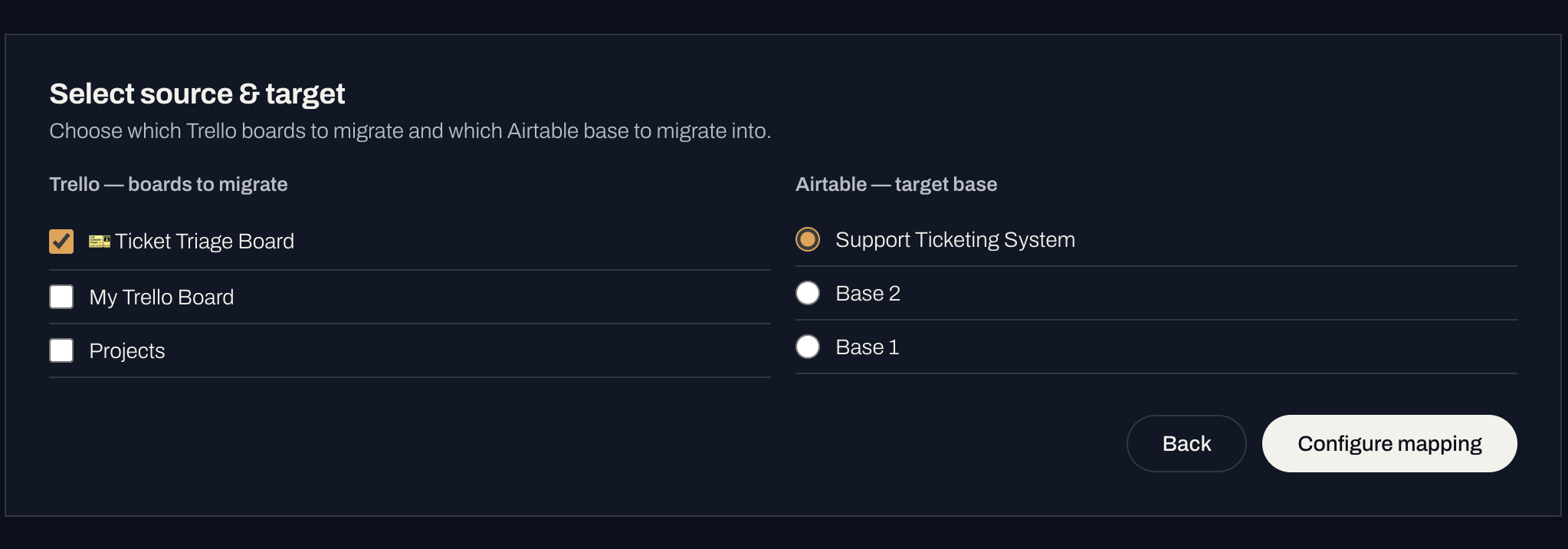
Pick the source space to migrate from and the target space to migrate into.

  • Choose what moves: in case of some migrations, you'll have to migrate the full space; for others, you'll be able to scope it down further, like selecting only specific boards to migrate.
  • The target can be a fresh space or an existing one you're consolidating into.
The Select step in the DatMig migration wizard
iii.

Map

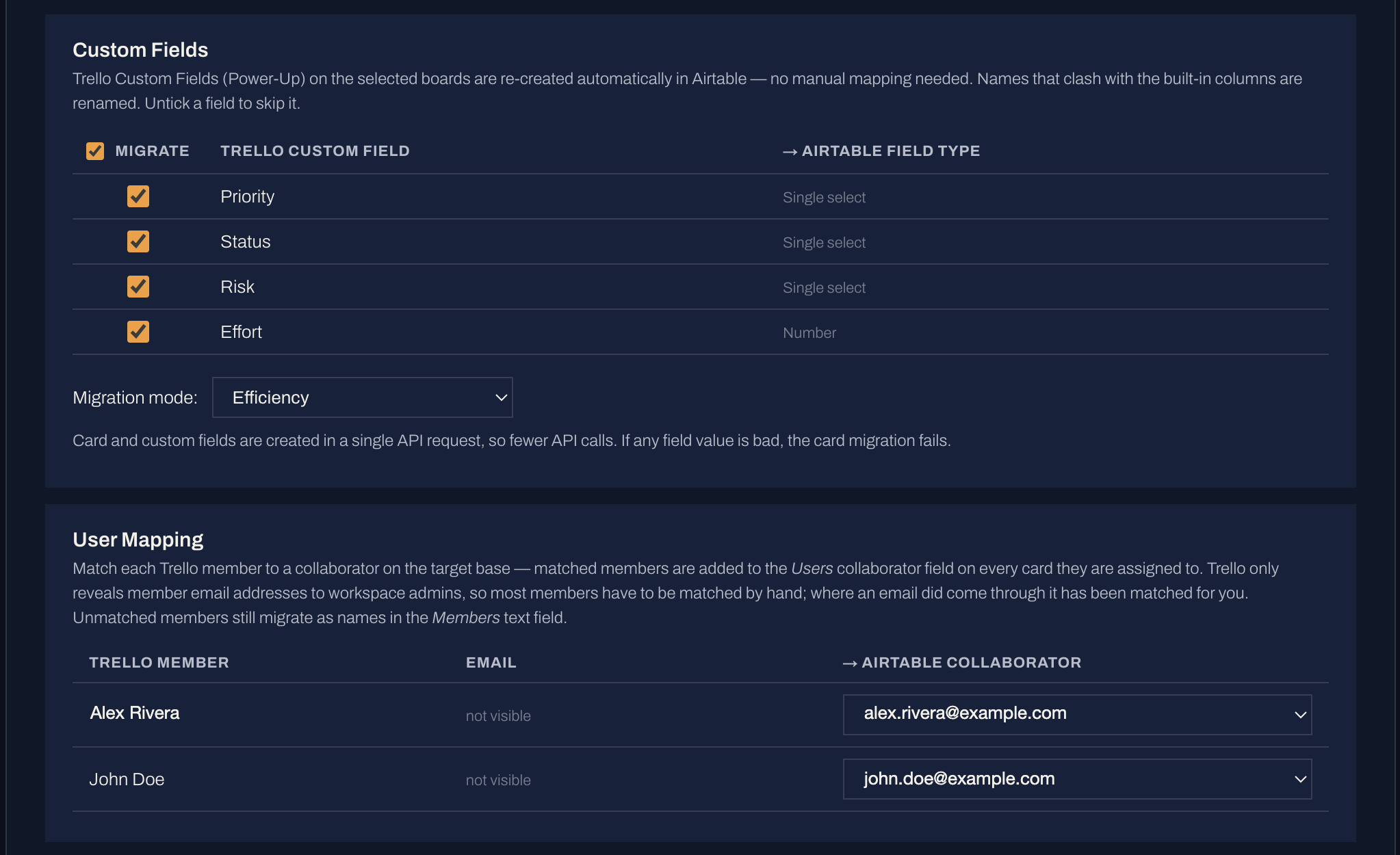
This step automatically considers the design limitations of both platforms and surfaces realistic migration choices for you: hierarchy, statuses, custom-field types, users, and so on, with sensible selections already made for you. You can override the selections manually.

  • Statuses, fields and users are auto-matched by DatMig; you can adjust any of them.
  • Decide how your data hierarchy looks in target, e.g. whether folders remain folders or become lists.
  • Per-platform constraints (nesting rules, field-type limits, attachment caps) are handled for you.
The Map step in the DatMig migration wizard
iv.

Run

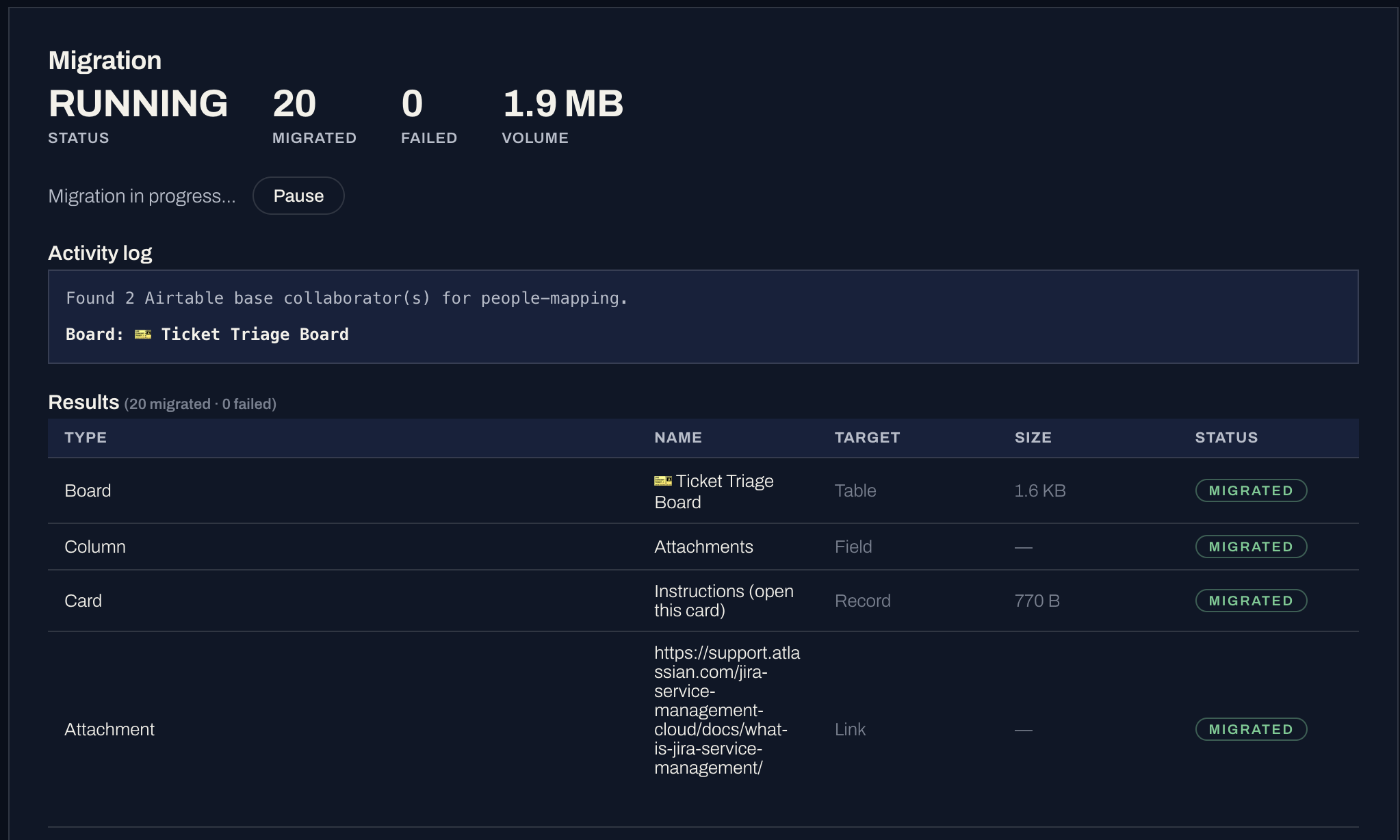
Start the migration and watch every object move across live. Each item is counted as it migrates, so you always know where the run stands against your DatMig subscription limits.

  • Pause anytime and resume exactly where you stopped; nothing is migrated twice.
  • If a migration reaches your subscription object limit, it pauses itself. You can resume the migration after you upgrade to a higher plan or after the migrated object count resets at the end of the subscription period.
  • Objects that fail to migrate, can be retried after the migration completes.
The Run step in the DatMig migration wizard

Ready to move?

Connect your two platforms and see your own data in the mapping screen: free, before anything migrates.

Start free